What are managed cloud services? What a provider covers and what stays with you
By Alec on
Managed cloud services are an arrangement in which a provider runs the day-to-day operation of your platform (monitoring, patching, backups and capacity) while your own team keeps the application. People also call it managed infrastructure services or managed operations, and the deal underneath is the same: the provider looks after the platform and you look after the code.
If you're the CTO, the question rarely arrives as "self-service or managed?". It arrives when someone on the board asks who gets woken at 03:00 if production goes down, and whether the company can solve that without wearing out the few people who know the platform. At Cyso we run managed operations ourselves, so we use our own managed operations service as the worked example.
What are managed cloud services, and what is managed cloud operations?
With self-service cloud you rent capacity: virtual machines, block storage, networks. Everything that runs on top is yours, including the monthly patch round, the restore test nobody has scheduled and next quarter's capacity plan.
Managed cloud operations puts a provider's operations team on that work under a contract with a written scope. SaaS goes further, because there the vendor runs the application as well and you only use it. Managed operations is also narrower than classic IT outsourcing: you hand over the running of the platform, while architecture, the application and oversight of the provider stay in-house.
Check how precisely the provider writes that difference down. A vague provider says "we take care of your infrastructure"; a useful one lists all their responsibilities.
What does a managed provider cover?
For example, Cyso's managed operations page lists these areas.
Area | How Cyso describes it | What that means day to day |
|---|---|---|
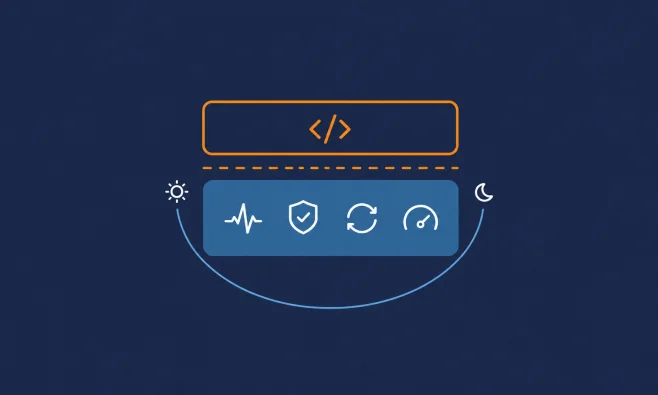
Monitoring | NOC/SOC (network and security operations centre) coverage. Our NOC monitors your environment around the clock from independent infrastructure; how fast we respond to an incident depends on its severity level, as set in your managed SLA | Response times per severity sit in the managed SLA |
Patching | "Monthly updates applied within agreed maintenance windows" | Operating system updates and security patches land on a schedule you've agreed in advance |
Backup and disaster recovery | Backup and DR management with tested restore procedures | Restore tests show whether a backup could be restored when the test ran. Ask for the date and result |
Capacity and performance | Capacity management and performance support | Someone tracks resource use as you grow and helps when performance drops |
SRE (site reliability engineering) and DevOps support | SRE and DevOps support | We assist with reliability engineering, deployment pipelines and the operational side of your software delivery. Ask us where our support ends and your team's deployments begin |
Our maintenance windows cover planned activities such as operating system updates, security patches, service restarts and infrastructure changes. Our operations team brings together engineers across networking, security, infrastructure and platform reliability, working as one unit rather than separate specialisms.
What stays with your team?
The application. We don't manage your application code itself; fixing bugs, deploying new features or modifying application logic remains with your team.
Make sure the contract says the same. A clear line on who owns a broken release makes sure there can be no argument when a problem takes place.
Two more things stay with you, as set out on our security solutions page: vulnerabilities in your application code remain your responsibility, and so does compliance ownership for standards such as PCI-DSS, SOC 2 or NIS2. Our certifications cover our own operations, not your applications. Where you are the controller of the personal data you process, your GDPR obligations stay with you. Our ISO/IEC 27001 certificate covers our own operations. It can help with an auditor's questions about that scope, and it does not make your processing compliant.
Architecture decisions, and the choice of what runs where, also stay in-house. Operations can be bought; accountability for the design stays with you.
NOC, SOC, service desk and SRE explained
NOC (network operations centre). The team that watches the availability and performance of networks and infrastructure and acts on alerts. "NOC as a service" means renting that function instead of staffing it yourself.
SOC (security operations centre). The team that watches for security events, investigates them and coordinates the response.
Service desk. Where your people log tickets and ask questions. Our public platform SLA sets support hours of Mon–Fri 09:00–17:00. Those are the platform SLA's hours, not the managed hours, which sit in our separate managed SLA.
SRE (site reliability engineering). Engineers who handle reliability with software methods: automation, measurement and fixes that follow each incident review.
Round-the-clock monitoring and an office-hours desk can sit side by side in one contract. When a provider, us included, says "24/7", ask which of the four functions that covers.
Build or buy: can you run IT operations 24/7 with your own team?
Outsourcing IT operations comes down to capacity first and cost second. Can you keep one qualified person on duty for every hour of the week, for years, without your operations falling apart when someone resigns?
When in-house is the better choice
Sometimes it is. Building your own team makes sense if:
you already run a staffed rota and the people on it want to stay;
your workloads are so specific that outside engineers would spend more time learning them than running them;
internal policy or a customer contract says only your own employees may hold admin access;
you want operations and application changes handled by the same people on the same day, with no handover between teams.
When managed operations fits best
It fits better if:
you can't keep a qualified person on duty for every hour of the week without burning through your platform engineers;
a migration is ending and nobody is lined up to run what was built;
your worst incidents need more than one skill set awake at once, and you can't staff each of them;
you'd rather your developers spent their hours on the application than on patch rounds and restore tests.
What to ask a managed cloud services provider before you sign
Ask these six before you sign, whichever provider you're talking to, including us.
Ask | Why it matters |
|---|---|
What are your response times per severity level, and are they in the contract? | "24/7" says nothing about how fast a person acts. We refer to severity levels in your SLA and to agreed escalation procedures, but we don't publish numbers here, so ask to see them in writing. |
Who sits on the desk, where, and for which employer? Do you use subcontractors? | Operators hold admin access to your environment. Ask for company names and countries. |
What's the difference between your SLA and your SLIs? | An SLI (service level indicator) is the number the provider measures, such as monthly availability. The SLA is what it commits to in the contract, and what you get when it misses. |
What's the remedy if you miss the SLA? | Our public platform SLA gives service credits for our platform services of 10%, 25% or 50% depending on how far uptime drops, capped at 50% of monthly charges and claimable within 30 days. Compare that with what an hour of downtime costs your business. |
Can you show evidence of your last restore test? | Any claim of tested restore procedures, ours included, should come with a date and a result. |
How do we leave? | Ask how logs, documentation, credentials and runbooks come back to you, how long handover takes and what it costs. The answer tells you how locked in you'd be. |
For reference: our public SLA (v1.0, January 2024) sets a monthly uptime commitment of at least 99.99% for compute instances, object storage, volume storage and networking. That uptime figure applies to the platform services, not to managed operations, and the service credits above are issued as Cyso credits under the platform SLA. For our managed solutions, an additional, different SLA applies.
How we run managed operations, and why jurisdiction matters
A managed provider's engineers can log in to your systems. Who they work for, where they sit and which law governs them therefore carries more weight than it does when you only rent raw infrastructure.
The data stays in the EU, operations are performed by our own employees in the Netherlands under Dutch and European law, and we keep a short, stable sub-processor list. We have been managing production environments for nearly 30 years (as of 12 October 2026).
As of 12 October 2026, our Trust Centre lists ISO/IEC 27001, NEN 7510 and a SOC 2 Type II report, which cover our own operations, not your applications. Your own compliance stays with you.
Managed operations after a migration
The natural moment to decide is straight after a migration, when the project team rolls off and someone has to run what was built. Many of our clients continue from a migration engagement into managed operations; the migration engagement itself has a single point of contact.
Some of the environments we manage run on VMware. Since the licensing changes at VMware, it makes sense to plan a move to KVM. We guide that migration for our customers.
So what happens during a move? We convert the disks of each VM. We swap the VMware drivers for KVM drivers. Then we rebuild the VM so it can boot on KVM. The final switch-over happens with the VM switched off. Moving most of the data beforehand can keep that step short. How long it takes depends on the VM, and we can estimate it in advance. Read more in how a VMware-to-KVM migration works.
Schedule your discovery call
If you're weighing an in-house solution against a managed contract, bring your plans to a discovery call with us. On the call we can go through the scope you'd hand over, what a quote would cover and what our managed SLA contains.
Book your discovery call with us