What is a VM migration? Factors that impact cross-hypervisor moves (VMware to KVM)
By Noa Omer on
Last updated on
In the previous post I laid out why CloudStack became our orchestration target, and why OpenStack, despite a decade of production experience behind it, was not the fit we wanted for the VMware migration work ahead. This post steps down a layer. Before you can talk about orchestrators, capacity planning, or self-service VPCs, you need to understand what actually happens when you move a virtual machine from one hypervisor to another.
Hypervisor to hypervisor: what you are actually moving
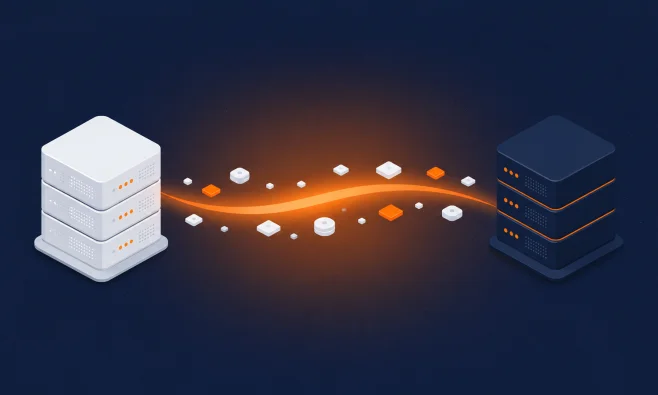
A virtual machine is two things: a definition, and one or more disks. The definition is metadata. It covers how many vCPUs, how much memory, what NICs exist, what firmware the guest expects, and the shape of the virtual hardware presented to it. The disks are the bulk of the payload: the block devices holding the operating system, application, and data.
The platforms describe that definition in completely different languages. I will use VMware to KVM as the example throughout this post, but the same applies if you are migrating to a Xen-based hypervisor or a Hyper-V-based hypervisor.
VMware keeps its VM configuration in a .vmx file (and the OVF descriptor when you export). KVM, through libvirt, describes a guest in its own domain XML. These are not translations of one another. They model the virtual machine differently, name and present hardware differently, and assume different defaults. There is no clean file-swap that gets you from one to the other. Reconciling them is interpretive work.
Why same-hypervisor migrations are easy and cross-hypervisor migrations are not
ESXi to ESXi, or KVM to KVM, the definition is portable and the hypervisor does the heavy lifting. Going from VMware to KVM, you are doing two things at once. You are converting the disk format, and you are rebuilding the VM definition in the target's language so the guest still boots on the other side. You are not copying a VM. You are transforming one.
The VMware to KVM migration toolchain: qemu-img, virt-v2v, vJailbreak
Before getting into the steps, it helps to know how they relate to the migration tools you will run into when exploring the topic yourself. I will describe a common stack with qemu-img, virt-v2v, and vJailbreak. Equivalent stacks (open-source or proprietary) exist elsewhere. Parts of the stack are interchangeable. With CloudStack, for example, you do not use vJailbreakand instead use the CloudStack migration tool, but they serve the same function.
qemu-img: disk format conversion
At the bottom is qemu-img. It does one job: convert disk images between formats, such as VMDK to QCOW2 or raw. It knows nothing about the guest operating system inside the disk, only the bytes and the container format around them.
virt-v2v: the VMware to KVM conversion engine
A layer up is virt-v2v. This is the actual VMware to KVM migration tool. It pulls a VM out of VMware, uses qemu-img and libguestfs under the hood to handle the disk conversion, and then does the part qemu-img cannot. It goes inside the guest filesystem and prepares the operating system to run on KVM. It strips VMware-specific drivers and agents, injects virtio, and fixes up boot configuration. The output is a set of readied disks plus a libvirt-shaped definition, not just a converted blob. So qemu-img is a component that virt-v2v leans on, not an alternative to it.
vJailbreak: fleet-scale orchestration
A layer up again is something like vJailbreak. Tools like virt-v2v migrate one VM at a time. They do not know anything about your fleet or your target orchestrator. vJailbreak wraps that machinery to drive migrations at scale. It discovers VMs in vCenter, schedules and runs the virt-v2v conversions, and lands the results into the target platform. It is automation and orchestration around the same underlying conversion, not a different conversion engine.
In short: qemu-img moves the bytes. virt-v2v makes the guest bootable on KVM and uses qemu-img to do it. vJailbreak runs virt-v2v across a whole estate. You can drop down to the lower levels by hand when you need to, but most large migrations are built on the higher ones.
Export format: OVF, VMDK, and the conversion to QCOW2
VMware stores virtual machine disks as VMDK (Virtual Machine Disk). When you export a VM you typically get an OVF (Open Virtualization Format) package: an XML descriptor describing the virtual hardware, alongside the VMDK disk files, often bundled together as a single OVA tar archive. The OVF descriptor is the portable statement of what the VM looks like. The VMDKs are the data.
KVM mostly uses QCOW2 (QEMU Copy-On-Write version 2), or in many production setups raw block devices backed by Ceph RBD, LVM, or similar. QCOW2 gives you thin provisioning, snapshots, and backing files. Either way, somewhere in the pipeline VMDK has to become QCOW2 or raw. As covered above, that conversion is qemu-img's job. You can call it directly, or let virt-v2v call it for you.
By hand the conversion looks as simple as:
qemu-img convert -p -f vmdk -O qcow2 source-disk.vmdk output-disk.qcow2There is some nuance in practice. VMDK is not one format but several subtypes: monolithicSparse, streamOptimized (what you find inside an OVA), twoGbMaxExtentSparse, and so on. qemu-img handles most of these, but streamOptimized disks pulled from an OVA sometimes need careful handling. Large disks are better converted straight onto the target storage than staged locally first, which doubles your I/O and disk usage for no reason. If you are landing on Ceph, convert directly into an RBD image rather than writing a QCOW2 file and importing it as a second step. The same goes for NAS iSCSI storage or other non-local storage. That means your "migration server", the environment that uses these tools and is part of your new platform, needs direct and fast access to the destination storage.
Cross-hypervisor migrations are always cold, but downtime can feel hot
A cross-hypervisor migration is always a cold migration at the moment of truth. There is no live vMotion from ESXi into KVM. The formats and hardware models are too different to hand off a running machine mid-flight. The VM has to be powered off to capture a consistent final state of its disks before the conversion that produces the bootable result on the other side.
But cold does not have to mean hours of downtime. The trick is to decouple the bulk data transfer from the moment of cutover. That is where Change Block Tracking (CBT) comes in.
How Change Block Tracking (CBT) cuts migration downtime
CBT is a VMware feature that tracks which blocks of a VMDK have changed since a given point in time. The strategy that uses it goes like this:
Initial sync. With the VM still running, copy the full disk across to the target environment. For a large disk this might take hours. The customer's workload stays online the whole time.
Incremental syncs. Use CBT to find which blocks changed since the last copy and transfer only those. Repeat a few times, each pass smaller than the last as you converge on the running state.
The cut-off period. Schedule a short maintenance window. Power off the VM, run one final incremental sync of the last changed blocks, do the conversion and definition rebuild, and boot the VM on the new hypervisor.
The actual downtime, the cut-off period, drops from the whole transfer down to the final delta plus conversion and boot. On a well-prepared migration that is minutes rather than hours. The migration is still cold, but to the customer it feels close to hot because the unavailable window is so small. This is critical when you are migrating environments that customers run on, especially with larger service VMs in a non-redundant setup.
Landing the migrated VM in the right network
Getting the disks across and the VM booting is only half the job. The VM also has to land in a network it recognises. Here, both your current and the target platform's design either help you or fight you. Ideally you drop the migrated VM into the same Layer 2 network it lived in before. It keeps its IP, its gateway, and its relationship to everything around it (load balancers, database peers, firewalls) without reconfiguring anything. Plug and play into the existing stack.
This is why the network model of the target matters. Say you run a VMware setup without NSX. A flat, VLAN-based setup that mirrors the source lets you reuse existing capacity and keeps high-availability configurations intact. A Galera cluster or an HAProxy pair comes across without its members landing on different segments or behind unexpected routing. A more elaborate SDN model (VXLAN, routing on the host, or EVPN) gives you flexibility and scale. But if it does not present a compatible Layer 2 to the guest, every migrated VM turns into a small re-engineering job: new addressing, revisited routing and VNF appliances, HA to revalidate.
For a like-for-like MSP migration you want the target network to look as much like the source as you can, and save the fancier topologies for greenfield workloads. It is not a total block. You can try to integrate your new platform into your existing network, even when using an SDN. Based on our experience so far this is very hard, especially when working with SDNs driven by the orchestrators above them (which will be different).
Guest cleansing and VM rebuilding on KVM
The last step is making the guest happy in its new home, and it is the part virt-v2v exists to handle. A VM that grew up on VMware is full of VMware-specific assumptions, and those have to be unwound before it runs cleanly on KVM. VMware Tools, vmxnet drivers, and the various guest agents are now dead weight, or actively in the way, and need to come out. In their place the guest needs virtio drivers, since KVM presents disks and NICs most efficiently as virtio devices. This matters most on Windows, which will not boot off a disk controller it has no driver for. Getting it wrong leaves you with an unbootable VM at cutover.
A couple of smaller things matter more than they look. Preserving the original MAC address keeps DHCP reservations, hardware-tied licensing, and any MAC-based network policy working. Combined with landing in the same Layer 2 network, it is a big part of what can make a move invisible to the guest. Firmware type (BIOS vs UEFI), disk controller, and device naming all have to line up with what the rebuilt definition presents, or the guest panics on boot.
You do not do most of this by hand. As covered earlier, virt-v2v runs the conversion and the guest-side cleansing on Linux against the exported VM, and outputs readied volumes you attach to a freshly defined guest in the new hypervisor. Something like vJailbreak drives that process across the whole estate and registers the results into the orchestrator where one is in play. That conveyor belt is what most large migrations are built around.
The above is one example of the steps and tools, and how they integrate with each other. The same underlying problems apply everywhere.
Capacity, reusability, integrations, and where the orchestrator fits into all of this are their own large topic. I will pick that up in a future post.
Schedule a discovery call