What is object storage, and why does it matter who runs it?
By Alec on
Last updated on
Object storage is a way of storing data as objects: each object is the data plus its metadata, kept in a bucket and found by a unique key. The Storage Networking Industry Association (SNIA) defines it as storing and retrieving data as collections of "single, uniquely identifiable indivisible items or objects".
Applications read and write objects over HTTP, often through the S3 API, which tools such as Rclone and the MinIO Client already speak.
Two things matter more than the definition when you pick a provider: where the data sits legally, and what it costs to leave. These exact topics are covered in this article.
How object storage works
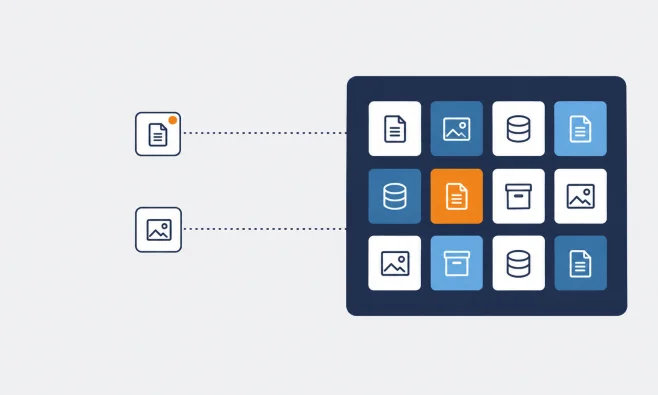
SNIA notes that an object store isn't organised as a directory tree; each object is addressed by its identifier (SNIA). In the S3 API that identifier is the bucket plus the object's name, so a request goes to an address of the form /{bucket}/{object} (Ceph Object Gateway, object operations).
So what are the folders you see in a storage console? invoices/2026/october.pdf is one object whose name happens to start with invoices/. When a tool lists a bucket, it can ask only for names that begin with a given prefix and split them at a delimiter such as /, and the API hands back the shared parts as common prefixes (Ceph Object Gateway, bucket operations). A console draws each common prefix as a folder, because folders are easier to read.
You reach object storage with HTTP requests rather than mounting it like a disk: PUT to upload, GET to download, LIST to see what's in a bucket, DELETE to remove something. Each of those counts as a request, and providers often bill per request.
Create an accountWhat is metadata in object storage?
Metadata is the descriptive information stored with each object. SNIA counts it as part of the object and says it's often expressed as attribute-value pairs. Some of it the system sets (size, content type, last-modified date), and some you add yourself at upload time, such as a customer ID or the name of the system that wrote the file.
Object storage vs block storage vs file storage
Block storage gives a server a volume that it formats with its own filesystem, and software changes data by rewriting blocks in place, which is why databases and VM boot disks usually sit on it. File storage shares a filesystem over the network, typically through NFS or SMB, so several machines can open the same files by path.
NIST's storage security guideline, SP 800-209 from October 2020, names block, file and object as the traditional types of storage service (NIST SP 800-209).
Object storage works as follows: instead of editing part of an object, you upload a new one (or a new version). That suits backups, archives, media, data lakes and static application assets, and it suits anything that edits files in place far less.
If you're running databases, you want block storage, and IOPS is the number to watch. We've written about what IOPS actually measure and about Cyso Cloud's two block storage tiers.
What is object storage used for?
Object storage is mostly used for data that gets written once and read sometimes, in amounts that tend to grow:
Backups and disaster recovery copies, especially when versioning and object lock make it harder for anyone (including ransomware) to quietly overwrite them.
Archives you rarely open but have to keep.
Media and user uploads. Pre-signed URLs let a browser fetch or upload one specific object for a limited time without seeing your credentials.
Data lakes: raw logs and analytics files that several tools read from.
Assets for cloud-native applications whose containers keep no state on local disk.
S3 and S3-compatible storage: why the API matters for moving later
S3 is an HTTP API for object storage, and many systems implement it, including Ceph's open-source object gateway (Ceph Object Gateway docs). What you gain is the tooling: Cyso's product page names Rclone and the MinIO Client among the standard S3 tools that work against its service (Cyso's product page).
That means moving to another S3-compatible provider can be mostly a matter of changing an endpoint and a set of credentials, when the provider supports the S3 features your tools use. Cyso's migration guide does the move with Rclone:
# Add a remote for each side, "old" and "cyso". For cyso, use the endpoint # from your my.cyso.cloud dashboard: endpoint = https://<api_endpoint> rclone config # Make the new bucket match the old one rclone sync old:my-old-bucket cyso:my-new-bucketrclone sync makes the destination match the source, which includes deleting files there that the source doesn't have. Point it at an empty bucket, and try it first with --dry-run (rclone docs).
Moving 200 TB still takes time and bandwidth, and your old provider may charge egress on the way out (more on that below), but if the S3 features you use are supported, you shouldn't need to rewrite your application, scripts or SDK calls.
"Compatible" covers a wide range, though. Ceph's documentation goes through the bucket and object features of the S3 API and marks which ones its gateway supports (Ceph), and any provider's claim deserves that item-by-item reading. Before you commit, check the features your workloads actually use: versioning, object lock, lifecycle rules, multipart upload, pre-signed URLs, CORS and object tagging. Ask, too, which consistency model applies when you read an object straight after writing it.
Where your objects live, and whose law reaches them
Picking a region tells you where the disks are. Which legal processes can reach the data on them is a separate question, and it depends on who owns and controls the provider.
The US CLOUD Act became law on 23 March 2018 as Division V of Public Law 115-141. Its section 103 added 18 U.S.C. 2713, under which a provider covered by that part of US law has to preserve, back up or disclose data within its "possession, custody, or control, regardless of whether such communication, record, or other information is located within or outside of the United States."
So a bucket in a European region of a provider under US ownership or control may be subject to US legal process in addition to EU law. Whether that applies to a specific provider depends on its ownership and control, and the same test applies to every provider, Cyso included. That's a question for your legal counsel. We've gone into the details in our article on provider jurisdiction and in our overview of EU cloud rules for 2026.
Cyso operates from data centres in Amsterdam and Frankfurt, and you choose which of those two regions holds your buckets.
What it really costs: storage, requests and egress
The per-GB storage price gets the attention, but on some workloads it's the smallest line on the invoice, behind requests or egress (the data you pull out).
Cyso's list prices as published on 9 October 2026:
Storage: €0.055 per GB per month
Ingress: free
Egress: €0.055 per GB
Category A operations (such as PUT and LIST): €0.055 per 10,000
Category B operations: €0.004 per 10,000
Suppose you keep 2,000 GB of backups, write 3 million objects a month and make 5 million category B requests. That last figure is an assumption, because the product page doesn't say which operations count as category B. At those list prices, storage comes to €110.00, category A requests to €16.50 (300 × €0.055) and category B requests to €2.00, so €128.50 a month. A full restore of all 2,000 GB over the internet would add €110 in egress that month.
Now change one thing. If your backup tool splits data into small chunks and writes 50 million objects a month, category A fees alone reach €275, which is more than double the storage bill. At that point the tool's chunk size and how often it lists the bucket drive the invoice more than the amount of data you keep.
See our current pricingWhat the EU Data Act changes about leaving
The EU Data Act (Regulation (EU) 2023/2854) has applied since 12 September 2025. On switching between data processing services, the European Commission says switching charges, including data egress charges, are removed entirely from 12 January 2027; during the transition from 11 January 2024 to 12 January 2027, providers may still charge for the costs incurred in relation to switching and data egress (European Commission, "Data Act explained").
As the Commission describes it, the rules cover switching between providers; everyday egress, like serving files to your users, is billed at Cyso's list price of €0.055 per GB. Check any provider's switching terms, including ours.
A practical pattern: 3-2-1 backups
CISA's backup advice for small businesses sets out the 3-2-1 rule: three copies of important files, on two different types of storage media (such as a hard drive and the cloud), with one copy stored off-site (CISA, "Back up business data"). In its #StopRansomware Guide, CISA also advises keeping offline, encrypted backups of critical data and testing them regularly, and warns that ransomware actors often try to delete or encrypt any backups they can reach (CISA #StopRansomware Guide, September 2023).
One way to build that with object storage:
Production data stays on your servers and block volumes.
Nightly backups go to a bucket in one region, with versioning on and a compliance-mode object lock retention period long enough to outlast an attacker who's been inside your network for a while. In compliance mode no one can delete or modify locked objects until the period expires, while governance mode lets users with special permissions override it.
A second copy goes to another region or another S3-compatible provider. Because it's the same API, that's one more endpoint in your backup job.
Lifecycle rules expire old versions once their retention ends, so the storage bill doesn't grow forever.
Restores get tested on a schedule, and the egress for those tests goes into the budget.
One limit: a locked bucket is still online. Object lock makes the behaviour CISA warns about harder, because locked objects are more difficult to delete or overwrite, but it isn't an offline copy. If your policy requires offline backups, keep one. Encrypt before upload as well, since Cyso doesn't encrypt stored objects by default (see below).
When it makes sense, and when it doesn't
Object storage fits large, growing sets of files that you write once and read now and then, backups with versioning or object lock in particular, and data that many systems need to reach over HTTP. It's the wrong tool for databases, VM disks and anything else that edits parts of files in place or relies on file locking, and for workloads that churn through millions of tiny, constantly changing files.
How Cyso runs object storage
Cyso Cloud Object Storage is built on Ceph, the open-source storage project, and is S3-compatible. It runs on NVMe, with each object written to three different disks inside the region you choose: Amsterdam or Frankfurt. It supports every feature in the S3 checklist above, pre-signed URLs included, plus bucket ACLs. If you're planning very large volumes, talk to our team before you start uploading.
Cyso's SLA sets a monthly uptime level of at least 99.99% for object storage, with service credits if that's missed; downtime here means loss of connectivity to the Object Store API (claims must reach support within 30 days of the downtime; credits are capped at 50% of that month's bill; see the SLA for exclusions).
Writing each object to three disks reduces the risk of data loss from a single disk failure within a region. It doesn't replace a copy somewhere else, which is why the backup pattern above uses a second region or provider.
As of 9 October 2026, we don’t encrypt stored objects by default. Data travels to and from the service over TLS, and you can encrypt objects yourself before upload or use SSE-C, where you supply the key.
Schedule your discovery call