EMK - Restrict Access To Kubernetes API
Estimated time to read: 1 minute
Access to the Kubernetes API endpoint can be restricted using an allow-list mechanism. Your cluster can be configured to only accept requests from predefined IP addresses and networks, blocking unsolicited requests.
Configure Access Limit
Find your cluster in the Cyso Cloud Dashboard and open the cluster details page. In the Extensions block, click the edit (pencil) button next to API Server IP Access Control.
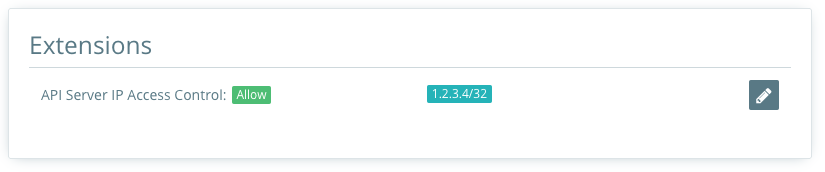
In the edit dialog, choose the action (Allow or Deny) and manage the list of CIDRs.
Additional CIDRs are added to allow internal infrastructure to access the Kubernetes API.
Configurations
The following options are available:
- The
providerConfig.rule.actionfield is the action to either allow or deny - The
providerConfig.rule.cidrsfield is a list of IP addresses in CIDR notation (min: 1, max: 50)
After saving the updated YAML configuration, the cluster will reconcile and apply the settings automatically.